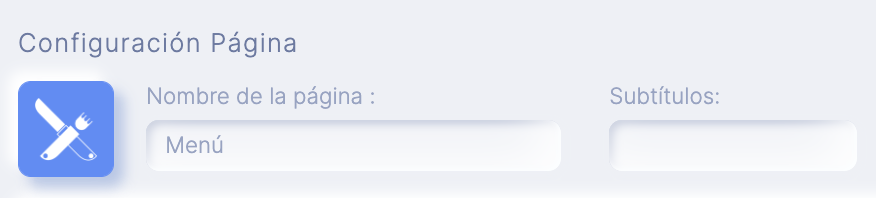
This function allows you to include as many menus as you want within your application and choose the design with which they will be displayed.
How to add this feature
To add this feature to your application go to step "FUNCTIONS" and click on the icon "Menu":

Configuration
To add a Menu click on the icon +
Below you will find a screen in which you must complete the following fields:
- Qualification*: Title of that menu (Ex: menu of the day, special menu...)
- Price: Menu price
- Description: In this section you can inform what elements make up the menu in detail.
- Rules: Here you can detail the conditions of the menu (Ex: includes drink + coffee or dessert)
- Image: You can upload a descriptive image of the menu.
To finish click on the button OK
Below you will find your menu under the section "Manage Content" from where you can edit it by clicking on the pencil icon

To add a new Menu you must repeat the same process.
Displaying the section tab "Background" You can add background images to this section if you wish.
Displaying the "tabDesign"You can choose the way your Menus will be displayed
Related Articles
APPS: Publish an App on Google Play
Updates: If you have already published your app on Google Play and need to release an update, follow the steps for Updating an App on Google Play. Create a Developer account on Google Play Firstly, you need to create a Google Play Developer Account ...
APPS: Pro Reservations
Description This function would allow you to quickly add a easy and powerful appointment reserve module to your application. It could create multiple stores, categories, services and suppliers with categories of services or delivery type. It could ...
How to Create an App for Restaurants (with or without Delivery)
Text Enter First Steps Once inside the platform, from the main dashboard you will find a series of icons on the left hand side menu. Just click on 'Apps'. Then click on 'Create App' and give it a name. Then you'll get to a screen where you choose the ...
How to Create an App for Gyms or Trainers
If you follow in the footsteps of this guide, in just over half an hour you will be able to launch a stunning Fitness App capable of competing with any tailor made app you can imagine within your industry. In this example we show you how to set up an ...
Requirements for Your App to Be Approved by Apple and Google
Apple's approval of your App can be swift and easy to overcome if your publication policies. In this article we give you minimum mandatory requirements, recommendations and actions to prevent them from ensuring rejection: Disclaimer of ...