MK Bot Replies
Introduction
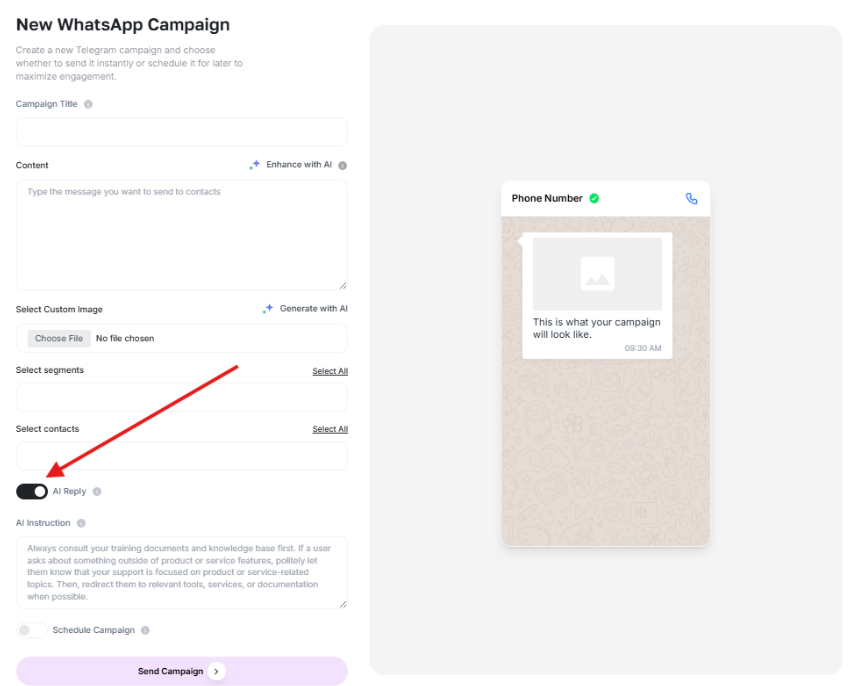
While creating a campaign within Marketing Bot, you can enable the “AI Instructions” switch to tell the bot how to behave or respond.
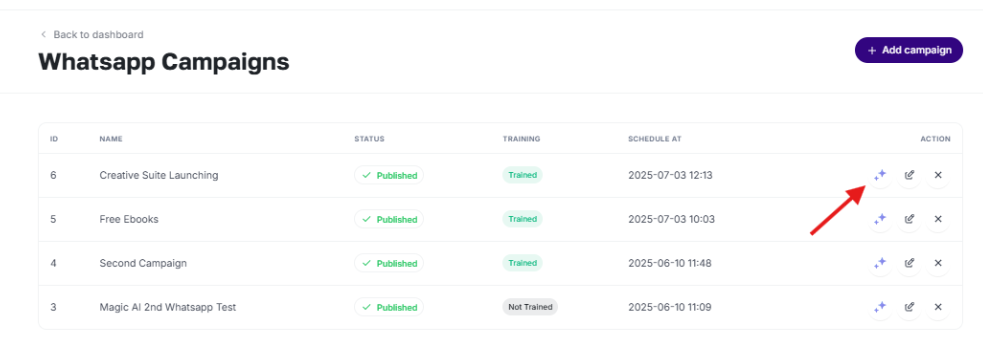
Each campaign includes an AI training icon that allows you to train the campaign with various methods:
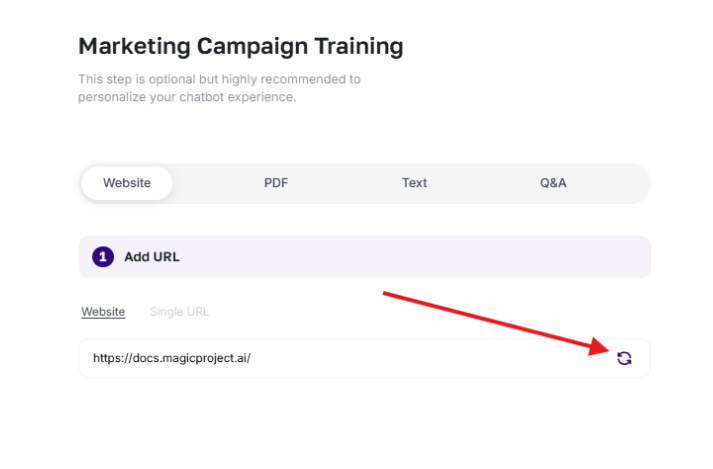
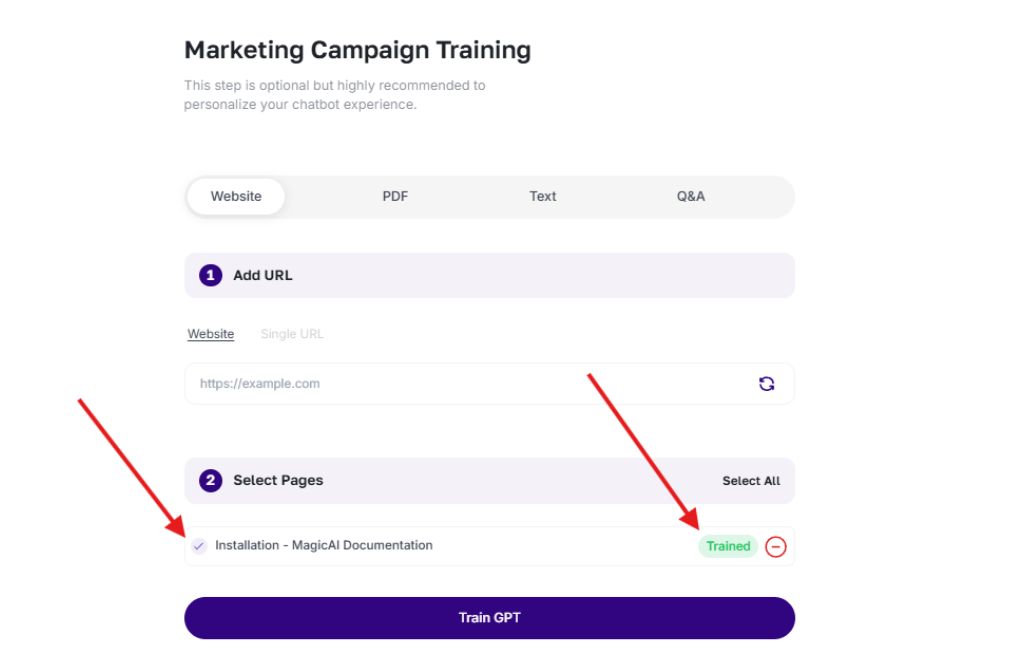
- Website or URL– Paste the URL of your website or documentation and press “Upload”. The bot will automatically crawl the site, find all the pages and display them for you to select the ones you want. This trains the bot to understand your content to answer questions about features, pricing, technical support, and more.
- PDF upload- Upload a PDF file (manuals, brochures, policy documents, etc.) and the system will extract its contents to feed the bot. For example, you can use the PDF of your service contract to have the bot respond to policy queries.
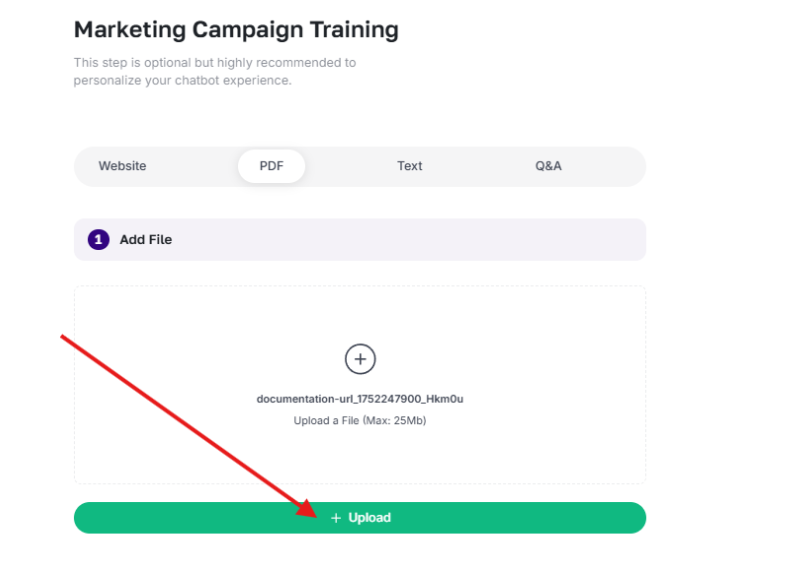
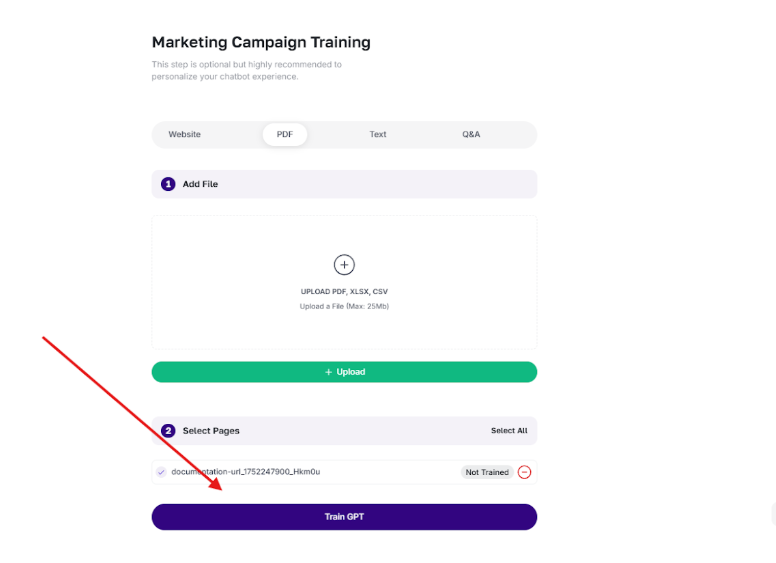
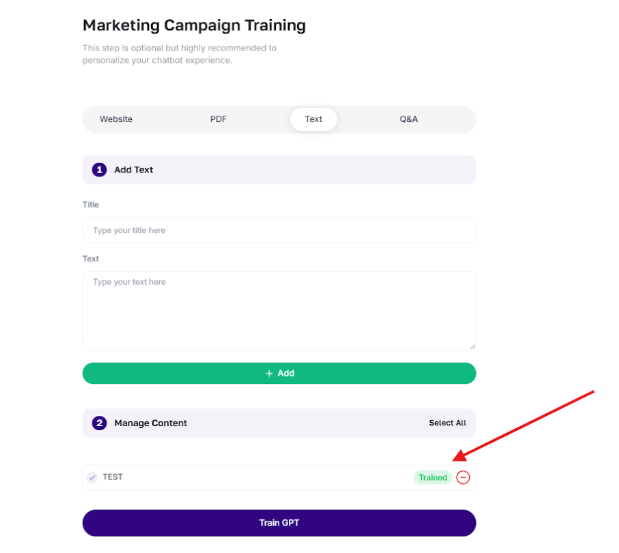
- Text instructions– Add plain text instructions, summaries, or notes that you want the bot to follow when answering.
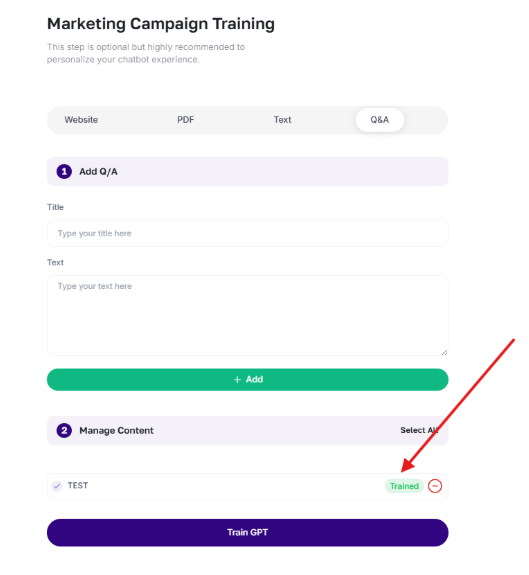
- Question and answer pairs- Manually enter questions and answers to ensure accurate answers to very specific questions.
Benefits and implementation formats
Here are some practical ways businesses can benefit from AI Bot Responses:
- Customer Support Automation– Train the bot with product guides or links from your help center to instantly respond to frequently asked questions, troubleshooting steps, or service queries.
- Lead Qualification– Use question/answer pairs and text instructions to automatically capture and qualify leads based on interests, budget, or location.
- E-commerce automation- Link your product catalog or upload a PDF of prices to respond in real time to questions about availability, discounts, delivery or return policies.
- Policy and Documentation Assistance: for legal, insurance or human resources teams; Upload policy or contract documents and let the bot respond with exact references.
- Share educational information– Allows the bot to assist with queries on course content, admissions, schedules and fees through brochures or academic documentation.
- Engagement in sales and promotions– Feed the bot data from your campaigns or promotional material to automatically share offers, links to demos, or limited-time promotions.
Taking advantage of the function of AI Bot Responses, companies can scale their communication effortlessly, improve response times and offer a much more personalized experience, saving time and resources.
Make sure you always keep the bot trained with updated material to get the best results.
Popular Articles
How to Create an App for Restaurants (with or without Delivery)
Text Enter First Steps Once inside the platform, from the main dashboard you will find a series of icons on the left hand side menu. Just click on 'Apps'. Then click on 'Create App' and give it a name. Then you'll get to a screen where you choose the ...APPS: Radio
The function of Radio allows the addition of radio broadcast within its application. In addition to this function To add this function to your application go to step "Functions" and click on the icon "Radio": Once added you must name this new ...APPS: Webhooks
The advanced Webhooks feature lets you connect certain events that occur in your App by sending them to a URL called Webhook. You can use a free Webhooks service as Zapier to create automations that can help you with your App business. For example, ...APPS: Audio & Music
How to add this feature To add this feature to your application go to step "FUNCTIONS" and click on the " iconAudio": Then give this new section of the application a name. Then click on the + icon to add a new Playlist Then add a title and an image ...QR Promotions
This function would allow you to create discount coupons that would be unlocked by scanning a specific QR code. Once unlocked, the customer can use the discount whenever they want. The coupon would not appear in the application until the user has ...
Related Articles
How to Use Marketing Bot, Campaigns, Telegram and WhatsApp in Scoreapps
How to Use Marketing Bot, Campaigns, Telegram and WhatsApp in Scoreapps Marketing Bot centralizes campaign communication and audience management for WhatsApp and Telegram. Use it for promotions, notices, launches, reminders and segmented messages. ...Marketing Bot
Introduction This tool is designed for your private use as a Scoreapps client, whether you have an agency or any other type of business. Unlike external AI Agents that you can create for clients, Marketing Bot is not designed for resale as each ...How to integrate Chatbots with Telegram
Overview This integration allows you to connect your ScoreApps chatbot with Telegram, allowing users to chat with your AI directly in the app. How to configure the integration with Telegram: Step 1: Create a Telegram bot Open the Telegram app on your ...How to connect a chatbot to WhatsApp with Meta
The primary WhatsApp connection in Scoreapps now uses Meta's embedded signup directly. You do not need a Twilio account, manual credentials or a webhook setup. In short: open the chatbot's WhatsApp channel, click Connect WhatsApp and complete Meta's ...Agent Studio: How to Create and Manage AI Agents in Scoreapps
Agent Studio: How to Create and Manage AI Agents in Scoreapps Scoreapps Agent Studio is the workspace where you create, configure, train, test and improve AI agents for conversations, lead capture, support, automations and the channels available in ...